How to Install and Use TucomunidApp at Park Albatros, Golf del Sur

Step-by-step guide to installing and using TucomunidApp at Park Albatros — for owners and vacation renters at Golf del Sur, Tenerife.

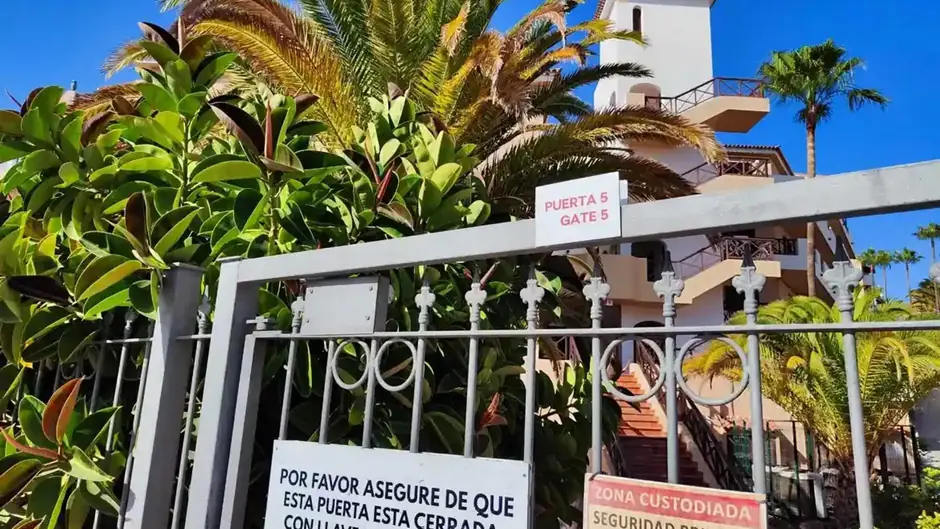
Gated entrance of private property with security signs.
Ivan Uher Ivan Uher Owner Tips

At Park Albatros — also known as Royal Park Albatros or Parque Albatros —, residents and guests can open the entrance gates and access community services through the TucomunidApp. Property owners must first register the app with resort management before vacation tenants can be invited to use it.

Because many guests run into setup issues on arrival, here is a clear step-by-step guide for both vacation renters and property owners at Park Albatros, Golf del Sur.

For Vacation Renters

TucomunidApp lets you enter the resort and access key community information throughout your stay.

Step 1: Request Registration from the Owner

  • 📌 You cannot activate the app on your own.
  • 📌 The property owner or rental agent must add you to the system and send you an email invitation.

Step 2: Install the App

  • Download from Google Play or the App Store.
  • Open the email invitation and click the activation link.
  • Create a password and log in.

Step 3: Using the App During Your Stay

  • Open the entrance gates: access the resort gates directly from the app.
  • Contact resort management: message the community manager if any issues arise.
  • Stay informed: check announcements about pool access, maintenance and services.

For Property Owners

Step 1: Download the App

Step 2: Register and Activate Your Account

  • Request registration from resort management (GAE comunidades).
  • You will receive an email invitation with an activation link.
  • Click the link, create a password and log in with your email.

Step 3: Key Features for Owners

  • ✔ Gate access control – open the resort gates from your phone.
  • ✔ Book shared spaces – reserve pools, courts and common areas.
  • ✔ Report maintenance issues – submit and track requests.
  • ✔ Access documents – view rules, fees and community information.

📌 Tip: Renters should always contact the property owner first if they encounter issues. Owners should contact GAE comunidades for technical or registration matters.

Useful Links

🔗 Official website: tucomunidapp.com

📲 Download the app:

FAQ

What is TucomunidApp used for at Park Albatros?
It is the official community app that lets owners and authorised renters open the resort gates, book shared facilities, view community documents and contact resort management.
Can I register for TucomunidApp myself as a renter?
No. Vacation renters must be added by the property owner or rental agent, who sends an email invitation with an activation link.
How do property owners activate the app?
Owners request registration from GAE comunidades, the resort management company. They receive an email invitation, click the activation link, set a password and log in.
Which devices is TucomunidApp available on?
TucomunidApp is free to download on both Android (Google Play) and iPhone (App Store).
Who should I contact if the app is not working?
Renters should always contact the property owner first. Owners should contact GAE comunidades, the resort administration, for technical or registration issues.

Are you a Park Albatros owner?

If you rent out your apartment, I can help you handle registrations, guest access, and community requirements in Park Albatros. Get in touch to make ownership easier and worry-free.

I reply within 24 hours — evenings and weekends included.

Related Articles